For real estate, interior and hotel photographers
Lighter, faster delivery for real estate and hotel photo sets
Short answer
Export once at full size and quality 100, then make every delivery size in one run. JpegSlim does this on a Mac: full size and any of 2048, 1600 or 1200 px, with every 512 px tile kept at SSIMULACRA2 88 or above, so white walls and window skies are protected from banding. It is not on sale yet.
Key numbers
Minimum SSIMULACRA2 score every 512 px tile must reach (High quality preset)
Output sizes to choose from in one run: full size, 2048, 1600, 1200 px or your own width
Smaller on quality 100 exports
Early synthetic testSmaller on quality 98 exports
Early synthetic testThe size results come from an early test set of scans and synthetic images, not real listing or hotel exports. Noisy high ISO frames usually shrink less. We will publish a side by side on real property sets once the app is closer to launch.
Typical delivery sets for property photos
These are common starting points, not portal rules. Size and file limits on listing portals and booking sites differ and change, so confirm the current specs with each client before you pick sizes. If a portal has a maximum file size in MB, ask for it as well as the pixel size.
| Use | Typical size | Why |
|---|---|---|
| Print and the client's archive | Full size, as exported | Brochures, signage and later crops need every pixel. |
| Listing portals and websites | About 2048 px on the long edge | HomeJab suggests 2048 × 1365 px for online listings; its table of US MLS standards lists 640 × 480 px as the minimum, but it recommends at least 1024 × 768 px. |
| Social posts | 1080 px wide | Instagram uploads photos at up to 1080 × 1080 px. Use a custom width in JpegSlim. |
| File weight | Ask for the MB cap | HomeJab's table gives 15 MB as a typical upload maximum for US MLS listings and suggests 100 to 500 KB per image for fast loading. Japanese portals set their own limits. |
Why property photo sets get heavy
Interiors with bright windows are usually shot as brackets and blended, then exported at the highest JPEG quality so the agent or hotel gets a clean master. A hotel set adds guest rooms, the restaurant, the lobby, exteriors and often drone frames. Then the same set is needed again at smaller sizes for listing portals, booking sites, the client's website and social posts.
At Property Media Japan we deliver high resolution JPEGs and web sized files for every property in Niseko and across Hokkaido, and photo delivery starts from 48 hours after the shoot. Every extra export pass and every slow upload of a heavy folder comes out of that window.
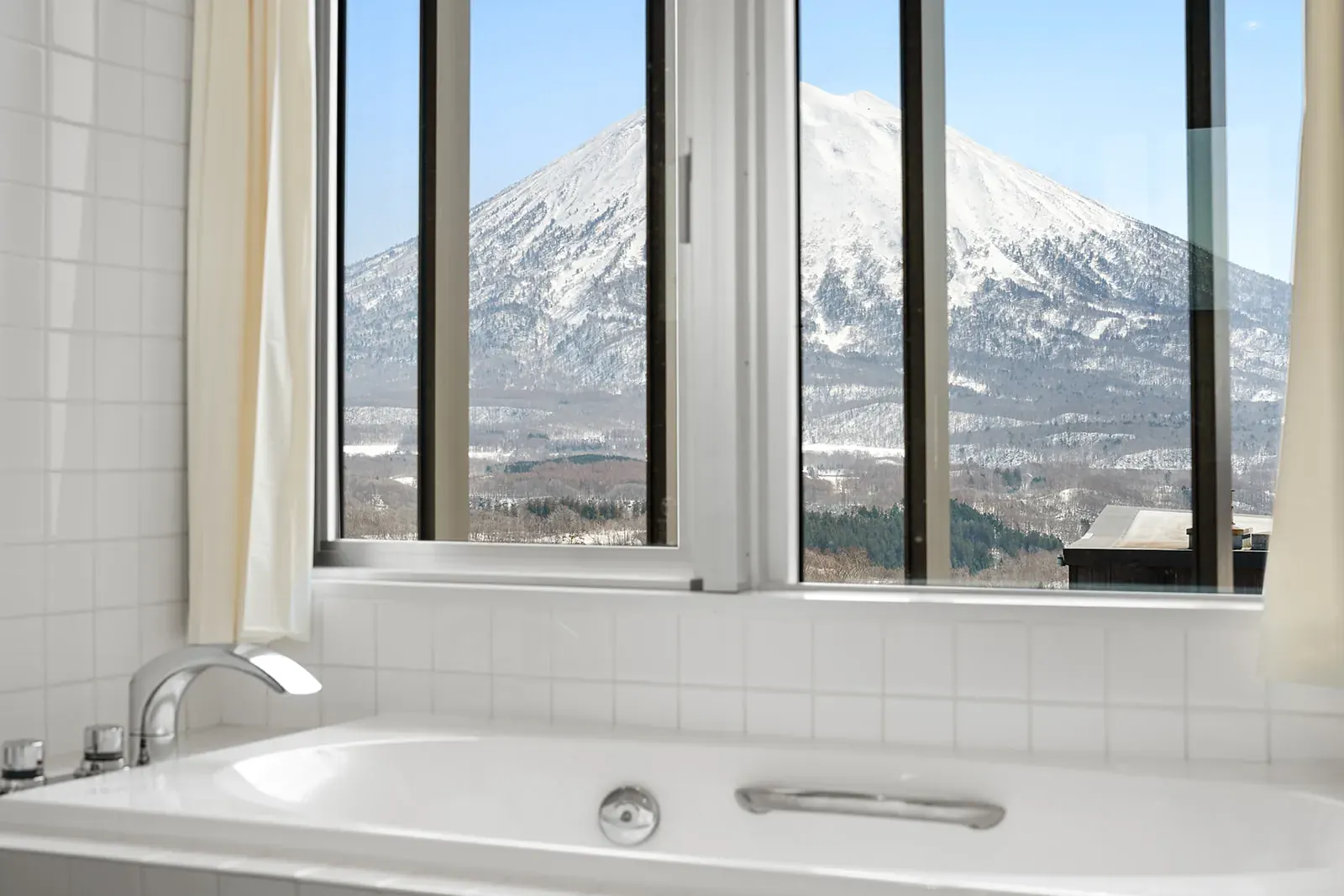
Compression wins that time back, but interiors are the hardest case for it. Large smooth areas show banding first: white walls, ceilings, a pale sky through a window, snow on a balcony. A quality score averaged over the whole frame can look fine while one patch of sky has already stepped.
How a quality floor on every tile protects walls and window views
For each photo, JpegSlim tries many compression levels with the mozjpeg encoder and keeps the smallest file in which every 512 px tile still scores at least 88 on SSIMULACRA2. On the published SSIMULACRA2 scale, 85 means an average viewer notices no difference when the two images are compared in place at 1:1, and 90 means no difference even in a flicker test at 1:1.
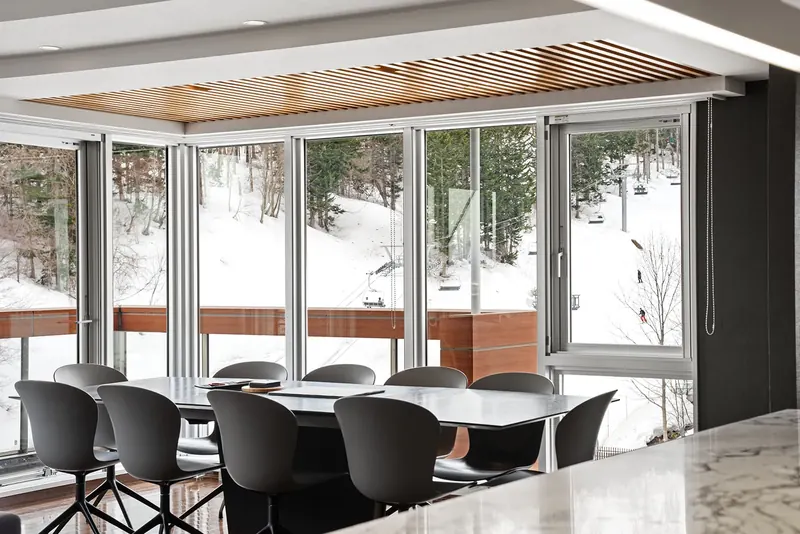
So the frame with the big window view is judged on the window, not on the average of the room. If any tile would fall below 88, that photo simply gets less compression. Each result is decoded and scored again before it is accepted, a full size copy is never bigger than its original, and EXIF, IPTC, XMP and the colour profile stay in the file.
A delivery workflow for one property
Export once, at quality 100
Edit and blend as usual, then export the finished set at full size and JPEG quality 100 from Lightroom Classic or Capture One. High quality exports leave the most room to save.
Choose the sizes the client takes
Drop the folder on JpegSlim, keep the High quality preset and pick the sizes, for example full size plus 2048 and 1200 px. Each size goes into its own folder, measured by long edge or by width.
Check the hardest frames
Select the frames with the brightest windows and the largest plain walls and open Compare. Drag the divider, or press Space to flip between original and slimmed at 100% or 200%.
Deliver folder by folder
Photos that can't get smaller are copied across unchanged, so each folder is complete. Send the full size folder for print and the client's archive, and the smaller folders for listings, the website and social.
Making several sizes in one pass is not unique to JpegSlim: JPEGmini Pro 4.5.0 (18 June 2026) added multi size export to subfolders and watch folders (watch folders are sold as Pro + Automations, US$99). What JpegSlim adds is an open pass mark on every tile that you can check in its compare view, a lower one time price (US$39 against US$89 for JPEGmini Pro + Plugins, the plan with Lightroom and Capture One plugins) and an English and Japanese interface. The full comparison covers the rest.
In Capture One, choose Open With: JpegSlim in a Process Recipe and one process fills the Slim, Slim 2048 and Slim 1200 folders. The Lightroom Classic export plugin makes one file per photo, so for several sizes export full size to a folder and drop that folder on JpegSlim.
A real interior, compressed
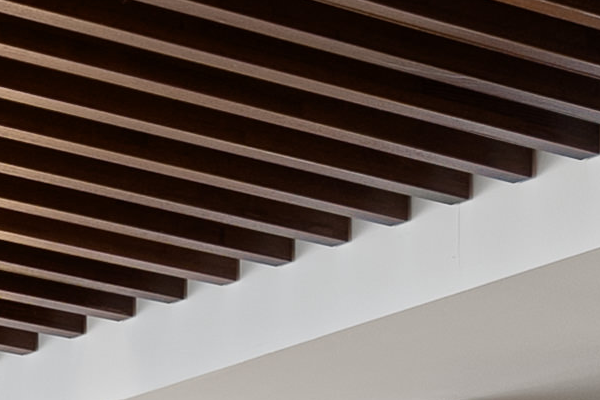
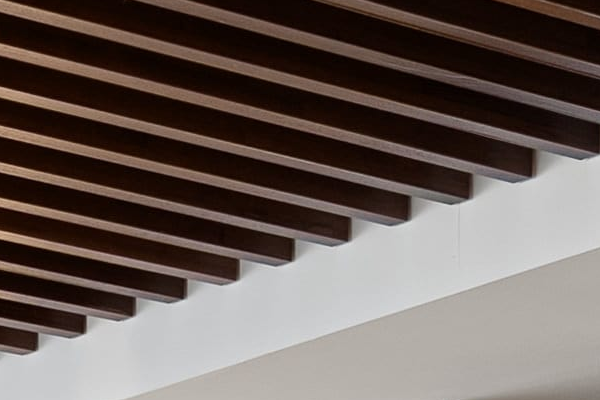
To check the method on a real delivery file, we took one frame from a lodge interior shoot in Niseko: 5992 by 3993 px, delivered as a JPEG at about quality 86 (5.04 MB), with a slatted timber ceiling, textured plaster and plain white surfaces.
With the default High quality preset, the JpegSlim command line beta could not lower the quality without a tile dropping below 88, so it kept every pixel and only repacked the file losslessly: 4.86 MB, 3.6% smaller. That is the point made above: files already saved below quality 90 have little room left. Exported at quality 100 from the edit, the same frame would usually have much more room.
With the Smaller preset for web use, the same file came out at 3.30 MB, 34% smaller, with SSIMULACRA2 80.2 on its worst 512 px tile and 80.3 for the whole image. On the published scale, 80 means no difference an average viewer notices side by side at 1:1.
 JpegSlim, Smaller
Original
JpegSlim at a glance
| Runs on | macOS 14 Sonoma or later, Apple silicon and Intel. Offline; photos are not uploaded anywhere. |
|---|---|
| Quality check | Every 512 px tile scored with SSIMULACRA2: 88 or more on High quality, 80 or more on Smaller |
| Presets | High quality, Smaller (web and social), Lossless (pixels unchanged) |
| Output sizes | Full size, 2048, 1600, 1200 px, custom 256 to 16000 px |
| Metadata | EXIF, IPTC, XMP and colour profile kept |
| Works with | Lightroom Classic export plugin, Capture One Process Recipe, Finder Quick Actions, command line, MCP server |
| Originals | Never overwritten by default. If you choose Replace originals they go to the Trash and can be restored while they are still in the Trash. |
| Price | US$39 planned launch price, one time purchase. Not on sale yet. |
When the agent or hotel only has JPEGs
Sometimes the job starts from someone else's files, such as frames an agent or a hotel's own team shot in JPEG. JpegRescue turns straight out of camera JPEGs into estimated raw DNG files by undoing the camera's tone curve, colour and sharpening, so white balance, highlights and shadows move more like raw in Lightroom and Capture One.
The limit matters for property work. It needs untouched camera files. Photos that have been edited or exported from Lightroom, Capture One or Photoshop come out with wrong colours, for example purple highlights in snow, which rules out most photos that have already been on a listing. Ask for the original files from the camera card, and treat clipped windows gently: detail the JPEG never kept is estimated, not recovered.
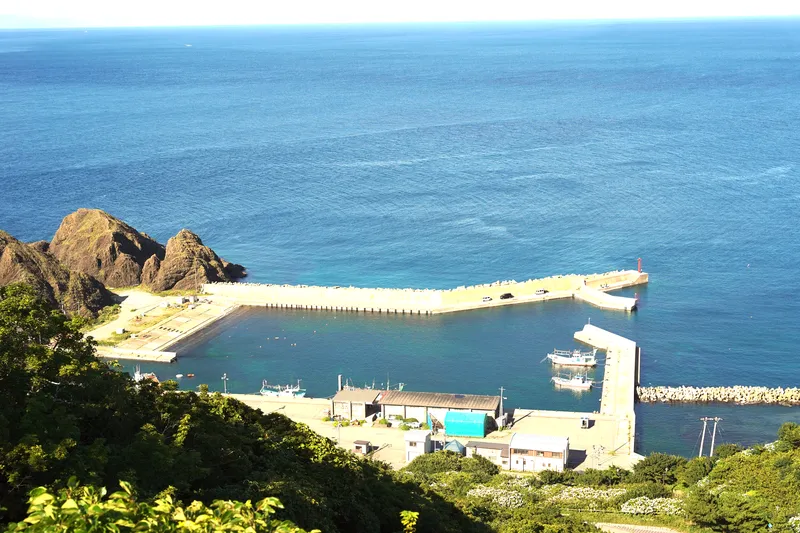
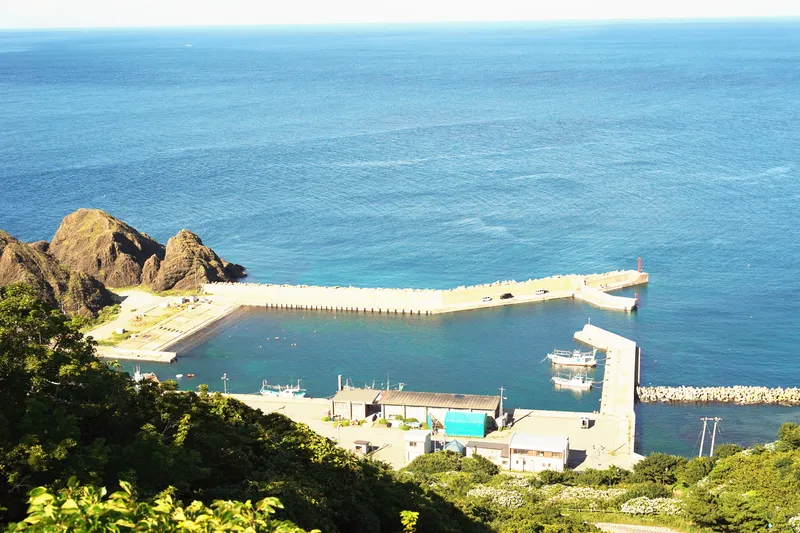 JpegRescue DNG
JPEG
If a card fails on location
Property shoots in Hokkaido can be a long drive from the office, and a card that was formatted before backup, or one that won't mount, is easy to make worse. What you do in the first few minutes decides how much comes back:
- Stop using the card. Don't shoot on it, format it or copy anything to it, because new files overwrite the old ones.
- Take it out of the camera or drone and keep it somewhere safe.
- If your Mac offers to initialise, repair or format the card, cancel.
- Don't run Disk Utility First Aid on it. Repairs write to the card.
- If the card is cracked, bent or has been wet, send it to a recovery lab. Software can't fix physical damage.
CardRescue scans SD, microSD and CFexpress cards that were formatted, corrupted or won't mount, opens them read only and never writes to them. It brings back JPEG, HEIF and TIFF photos, raw files (CR2, CR3, NEF, ARW, DNG, ORF, RW2, PEF) and MOV or MP4 video. At launch the scan is planned to be free, so you can see what it can bring back before paying.
The three apps for a property workflow
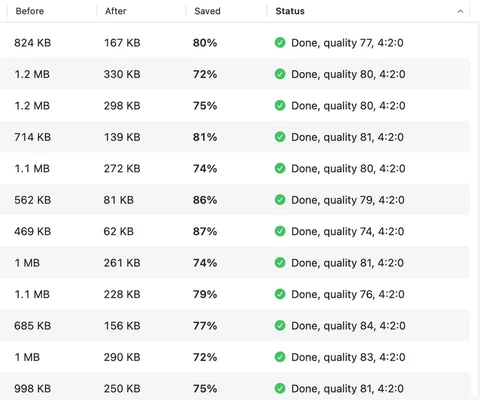

JpegSlim
Smaller delivery JPEGs in several sizes per run, with a quality floor on every tile.
Screenshot: a demo folder of synthetic test files run with the Smaller preset, not a property result.
US$39 planned · not on sale yet
JpegSlim details and waitlist- JPG DSC_4101.JPG DNG
- JPG DSC_4102.JPG DNG
- JPG DSC_4103.JPG DNG
- JPG DSC_4104.JPG DNG
DNG folder ready · opens in Lightroom and Capture One
JpegRescue
Estimated raw DNG files from untouched camera JPEGs, for more editing room.
US$79 planned · not on sale yet
JpegRescue details and waitlist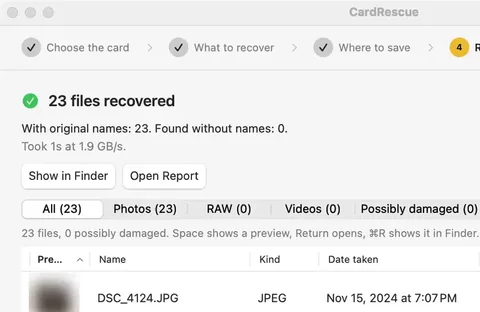

CardRescue
Photos, raw files and video back from a formatted or unreadable card, read only.
US$49 planned · not on sale yet
CardRescue details and waitlistStatus and planned prices
None of these apps is on sale yet. They are in private testing, and the launch date depends on Apple's approval. Prices are planned launch prices for a one time purchase, with no subscription.
| App | On a property job | Planned price |
|---|---|---|
| JpegSlim | Lighter delivery sets in several sizes | US$39 |
| JpegRescue | Editing room for untouched camera JPEGs | US$79 |
| CardRescue | Recovering a formatted or unreadable card | US$49 |
| All five Nomado apps | Adds SyncMaster and CallScribe | US$199 |
Questions
Ask each client, because upload limits on portals and booking sites differ and change. A typical set is full size for print and the archive, about 2048 px on the long edge for listings and the web, and 1080 to 1200 px for social posts. JpegSlim can make full size and any of 2048, 1600, 1200 px or your own width in one run, each in its own folder.
It can, because smooth areas such as white walls, ceilings and a sky through a window show banding first. JpegSlim scores every 512 px tile with SSIMULACRA2 and only keeps a file if every tile reaches 88 with the High quality preset, so one bad patch of sky is enough to stop it compressing that photo further.
Yes, after blending. JpegSlim works on the finished JPEG exports from Lightroom Classic, Capture One or any other editor. It does not merge brackets or read raw files, so blend and edit as usual, export at quality 100, then run the folder through JpegSlim.
Usually not. JpegRescue needs untouched JPEGs straight from the camera. Photos that were edited or exported from Lightroom, Capture One or Photoshop give wrong colours, for example purple highlights in snow. Ask for the original files from the camera card instead.
No. CardRescue opens SD, microSD and CFexpress cards read only and never writes to them. Recovered files are saved on your Mac or another drive, and the card stays unmounted after the scan so macOS cannot write to it either.
No. JpegSlim, JpegRescue and CardRescue are Mac apps for macOS 14 Sonoma or later, on Apple silicon and Intel.
None of them is on sale yet; the launch date depends on Apple's approval. Planned launch prices are US$39 for JpegSlim, US$79 for JpegRescue and US$49 for CardRescue, each a one time purchase, or US$199 for all five Nomado apps. Join the waitlist on apps.nomado.company to hear on launch day.
Sources
- SSIMULACRA2 on GitHub: what scores of 80, 85 and 90 mean. Checked 21 November 2026.
- JPEGmini for Mac downloads: version 4.5.0 release notes (18 June 2026), multi size export to subfolders. Checked 22 November 2026.
- mozjpeg on GitHub: the JPEG encoder JpegSlim uses.
- JpegSlim, JpegRescue and CardRescue on apps.nomado.company: features, limits, test method and planned prices.
- HomeJab: Ultimate Guide to Real Estate Photo File Optimization (May 2025): 2048 × 1365 px suggested for online listings. Checked 22 November 2026.
- Instagram Help Center: photos are uploaded at up to 1080 × 1080 px. Checked 22 November 2026.
- Property Media Japan delivery terms: real estate photography and hotel photography pages.
Hear when JpegSlim launches
Leave your email on the JpegSlim page and you'll get one message on launch day. A free trial is planned so you can test it on your own property exports first.